

Table of Contents
- Best Budget Streaming Microphones: Quick Comparison
- Best USB Microphones 2026 for Streamers
- USB vs XLR Microphone for Streaming: Which Suits You
- Streaming Microphone Setup for Beginners
- How to Improve Microphone Audio Quality on a Budget
- Microphone Types: Dynamic vs Condenser for Budget Streaming
- Frequently Asked Questions
Last Updated: October 9, 2026
Best Budget Streaming Microphones: Quick Comparison
When you're starting out as a content creator, the microphone you choose makes or breaks your audio quality. Budget streaming microphones don't have to sound cheap, and finding the right one matters more than spending the most. At Holla Store Front, we've curated a selection of affordable streaming microphones.
The difference between a £12 entry-level option and a £50+ mid-range microphone isn't always about build quality, it's about pickup patterns, connectivity, and how well each handles your specific recording environment. Below, we'll compare the best budget streaming microphones in 2026, breaking down what makes each one worth considering for streamers, podcasters, and gamers on a tight budget.
| Microphone | Price | Type | Best For | Pickup Pattern |
|---|---|---|---|---|
| G33 Gaming Microphone | £12.04 | USB | Entry-level streamers | Omnidirectional |
| Microphone Computer Game Voice Microphone | £20.04 | USB Condenser | Budget streamers & podcasters | Super-cardioid |
| Computer Games Microphone Esports Dedicated Desktop | £52.47 | USB | Serious hobbyists | Cardioid |
| Premium Podcast Karaoke Audio Set | £27.97 | Condenser + Sound Card | Complete setup seekers | , |
| Power Supply USB With Mixer With Microphone Mixer | £52.45 | Mixer + Dual Mics | Multi-user streaming | , |
Best USB Microphones 2026 for Streamers
USB microphones dominate the budget streaming space because they're plug-and-play. No audio interface, no XLR cables, no phantom power, just connect to your computer and start recording. For most creators under 50 concurrent viewers, USB connectivity is more than sufficient.

The trade-off is flexibility. USB microphones lock you into a specific computer setup. If you want to expand to console streaming or use multiple microphones later, you'll hit limitations. But for Twitch, YouTube, or podcast recording from a desk, USB is the path of least resistance.
Entry-Level Option: G33 Gaming Microphone
The G33 Gaming Microphone at £12.04 is the absolute entry point for budget streaming microphones. It's a USB omnidirectional microphone with a 1.5-metre cable and a frequency response of 50Hz-16kHz.
Omnidirectional pickup means it captures sound equally from all directions. This is both a strength and a weakness. You'll pick up your voice clearly, but you'll also pick up keyboard clicks, mouse movement, and background noise from anywhere in the room. For someone recording in a treated studio space or a quiet bedroom, this works fine. For noisy environments, it's a compromise.
The G33's sensitivity rating of -30dB±3dB is solid for a microphone at this price. It handles normal speaking volumes without distortion, though you'll need to position it reasonably close to your mouth, within 15-20 centimetres for optimal voice clarity. The omnidirectional pattern means you don't have to worry about precise positioning, which makes it genuinely beginner-friendly.
What you're not getting: a mute button, gain control, or headphone monitoring. You'll manage levels entirely through your computer's sound settings, which adds a small friction point during streaming. But the price-to-functionality ratio is hard to beat.
Mid-Range Choice: Microphone Computer Game Voice Microphone
The Microphone Computer Game Voice Microphone at £20.04 is a USB condenser microphone with super-cardioid pickup. This is where budget streaming microphones start to feel like real equipment.
Super-cardioid pickup is significantly more focused than omnidirectional. It rejects sound from the sides and rear, capturing primarily what's in front of the microphone. For a desk setup, this means less keyboard noise, less room echo, and less background chatter. Your voice gets the spotlight.
This microphone includes a bracket, which matters more than it sounds. A proper mic stand keeps it stable and at the right distance from your mouth.
The super-cardioid pattern requires slightly more careful positioning than omnidirectional, you need to speak roughly toward the front of the microphone, not off to the side. But once positioned, it stays out of your way.
At £20.04, this microphone represents the sweet spot for budget streaming microphones. You're paying roughly 67% more than the G33, but you're getting a condenser element (which captures more detail), superior noise rejection, and a mounting bracket. For podcasters especially, the cardioid family is the industry standard.
Complete Setup: Premium Podcast Karaoke Audio Set
The Premium Podcast Karaoke Audio Set at £27.97 includes a condenser microphone and a sound card. This is the best budget streaming microphones option if you want a complete rig without hunting for separate components.
The sound card is the real value here. It gives you dedicated audio control, headphone monitoring (so you can hear yourself in real time), and adjustable gain, features missing from basic USB mics.
This set is designed for creators who want to sound professional without the learning curve of a full audio interface. The condenser microphone captures voice detail well, and the sound card's adjustable settings let you tune your audio for different environments.
The trade-off: a sound card adds complexity compared to a simple plug-and-play USB microphone. You'll need to manage both microphone gain and sound card output, which takes a bit more setup time. But for £27.97, you're getting two components that would cost £40+ separately.
USB vs XLR Microphone for Streaming: Which Suits You
The USB versus XLR choice determines your entire streaming architecture. It's worth understanding before you buy.
USB microphones are self-contained. Power, audio input, and digital conversion happen inside the microphone. You plug it into your computer's USB port, and it works. No additional gear needed.
XLR microphones require an audio interface, a separate device that converts the XLR signal to digital audio your computer understands. You'll also need phantom power (usually supplied by the interface), XLR cables, and a microphone stand.
For budget streaming microphones, USB wins on simplicity and cost. You avoid the interface expense and cable clutter.
XLR becomes attractive only when you're ready to invest in a proper streaming rig, when you want multiple microphones, console compatibility, or the ability to swap mics without reconfiguring everything. For most budget-conscious creators starting out, that investment is premature.
The practical answer: start with USB. If you grow into streaming and want more flexibility, migrate to XLR. Don't pay for complexity you don't need yet.
Streaming Microphone Setup for Beginners
A streaming microphone is only one piece of the puzzle. The setup, how you position it, treat your room, and manage your audio levels, matters as much as the microphone itself.
Microphone Computer Game Voice Microphone Live Recording Condenser Microphone →
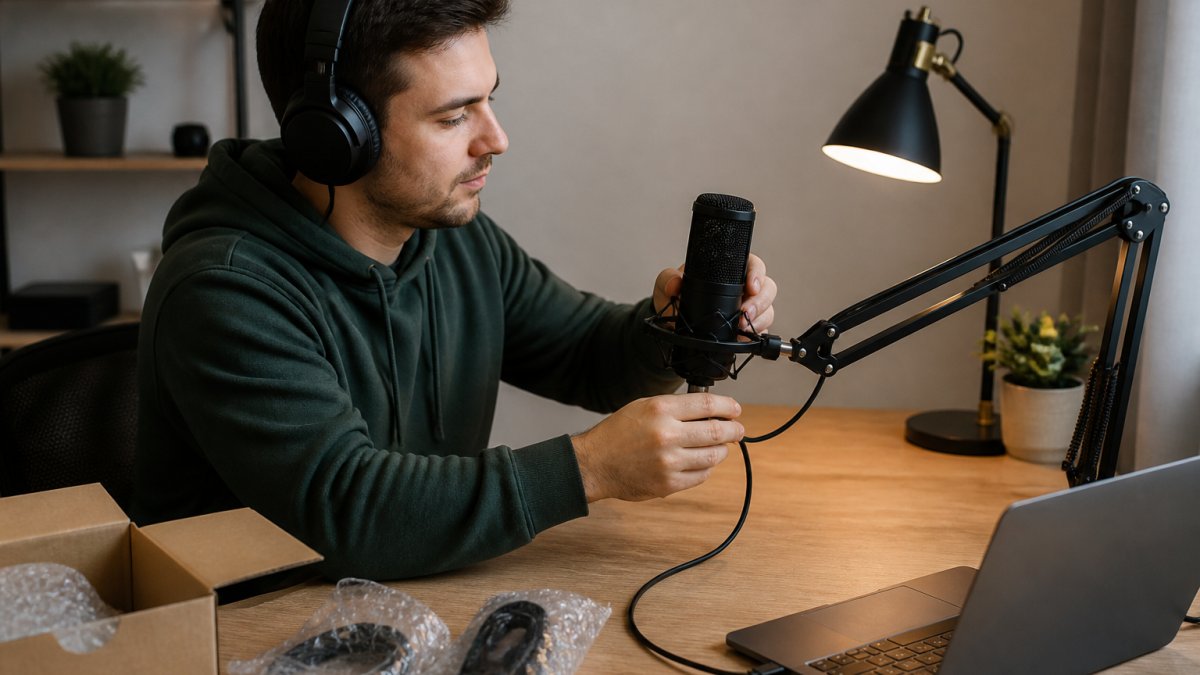
Position the microphone 15-20 centimetres from your mouth. This distance works for most USB microphones. Closer than 15cm risks plosives (harsh "P" and "B" sounds).
Use a pop filter if you can. A pop filter is a simple mesh screen that sits between your mouth and the microphone. It dramatically reduces plosives and harsh sibilance.
Treat your room minimally. You don't need acoustic panels for budget streaming. Heavy curtains, a bookshelf behind the microphone, and soft furnishings (carpet, upholstered chairs) absorb sound reflections.
Monitor your audio in real time. If your microphone or sound card has a headphone output, use it. Hearing yourself as you stream lets you catch audio problems before your viewers do.
Set your levels conservatively. Most budget streaming software (OBS, Streamlabs) lets you set microphone gain. Aim for peaks around -6dB to -3dB, not maxed out. Clipping (distortion from too-loud input) sounds worse than slightly quiet audio.
How to Improve Microphone Audio Quality on a Budget
If you already own a budget microphone and the audio isn't where you want it, small additions often matter more than upgrading the microphone itself.
A shock mount decouples your microphone from vibrations in your desk or boom arm. When you type or move, those vibrations travel through the mount into the microphone, creating unwanted noise. A shock mount costs £10-20 and noticeably reduces this.
Gain staging, setting your microphone input level correctly, is free and transforms audio quality. Most creators set their microphone gain too high, which introduces noise and clipping.
Room treatment doesn't require expensive panels. Hang a thick blanket or duvet behind your microphone to absorb reflections. Close doors to adjacent rooms. Move away from hard surfaces like glass windows and tile floors.
Mic technique matters more than people think. Speak at a consistent distance and volume. Avoid eating, drinking, or rustling papers near the microphone during recordings.
A simple audio interface like a budget USB mixer (£30-50) gives you gain control, headphone monitoring, and the ability to mix multiple audio sources.
Microphone Types: Dynamic vs Condenser for Budget Streaming
Understanding microphone types helps you choose the right one for your environment and use case.
Condenser microphones are more sensitive and capture more detail. They pick up subtle variations in your voice, room reflections, and background noise. For podcasting and streaming where voice clarity matters, condensers are the standard.
Dynamic microphones are less sensitive and more rugged. They reject background noise better because they require louder sound to trigger a signal.
For budget streaming microphones, condenser dominates because streamers record in controlled environments (bedrooms, home offices) where the extra sensitivity is an advantage. You get more voice detail and less need for gain boosting.
The practical difference: if you're streaming from a quiet room, a condenser captures your voice beautifully. If you're streaming from a noisy coffee shop or gaming café, a dynamic microphone rejects the background noise better.
Finding the right budget streaming microphones 2026 doesn't mean settling for poor audio.
At Holla Store Front, we stock each of these microphones because we believe quality audio shouldn't require a second mortgage.
Frequently Asked Questions
What is the best budget microphone for streaming in 2026?
The best budget streaming microphone depends on your setup and use case. The G33 Gaming Microphone at £12.04 offers the lowest entry point with USB connectivity and omnidirectional pickup. For slightly more, the Microphone Computer Game Voice Microphone (£20.04) provides a super-cardioid pickup pattern that reduces background noise. If you want a complete setup, the Premium Podcast Karaoke Audio Set (£27.97) includes a sound card alongside the condenser microphone, making it ideal for podcasters and streamers wanting professional audio without the premium price tag.
Are USB microphones good enough for streaming?
Yes, USB microphones are excellent for streaming and require no additional equipment like audio interfaces or XLR cables. They plug directly into your computer and work immediately. All the budget streaming microphones available here use USB connectivity, making them plug-and-play options. USB microphones deliver voice clarity suitable for streaming, podcasting, and gaming. They're particularly practical for beginners because setup takes minutes rather than hours, and you avoid the expense of separate audio hardware.
What should I look for in a budget streaming microphone?
Prioritise pickup pattern (cardioid or super-cardioid reduces background noise), USB connectivity for simplicity, and sound quality that captures voice clarity without distortion. Check whether the microphone includes a stand or bracket, as this affects your total setup cost. Consider your environment: if you're recording in an untreated room with background noise, a cardioid or super-cardioid pattern performs better than omnidirectional. Frequency response matters too; look for microphones handling at least 50Hz to 16kHz for natural voice reproduction. Finally, verify it's compatible with your streaming platform and computer.
Is a USB or XLR microphone better for beginner streamers?
USB microphones are better for beginners. They require no audio interface, mixer, or additional cables, keeping setup simple and costs low. XLR microphones demand extra equipment, higher total investment, and more technical knowledge. USB options like those available here deliver professional-quality voice recording for streaming without the complexity. You can always upgrade to XLR later as your streaming grows. Start with USB to test whether streaming suits you, then invest in XLR equipment if you need advanced features like multiple microphone inputs or studio-grade sound processing.
How can I make a cheap microphone sound better?
Use a pop filter to reduce plosive sounds and breath noise. Position the microphone 15-20 centimetres from your mouth at a slight angle rather than directly in front. Add soft furnishings like blankets or curtains to reduce room echo and background noise reflection. Adjust gain control to avoid clipping (distortion from too-loud input). Ensure your streaming software's audio levels are balanced, not maxed out. If your room is particularly noisy, a cardioid or super-cardioid microphone reduces ambient sound better than omnidirectional models. These adjustments cost little but improve perceived audio quality.
